How to Install DIY Smart Lighting Without Rewiring
Upgrade your home's ambiance with smart lighting without touching a single electrical wire. Learn the safest and most effective methods for renters and DIYers.
Kasa Smart Plug Mini with Energy Monitoring, KP115
Kasa Smart
As a former residential electrician who spent a decade fishing Romex through plaster walls and untangling knob-and-tube nightmares, I can confidently tell you this: the best electrical work for most homeowners is the kind you never actually have to do.
You want the convenience of voice-controlled lights, automated schedules, and dimmable ambiance. But you don’t want to mess with the breaker box, hire an electrician for three hours, or forfeit your security deposit by hacking apart the walls of your rental. The good news? You can completely automate your home’s lighting without ever touching a wire nut.
Here is the authoritative, zero-rewiring guide to DIY smart lighting.
Method 1: The Smart Bulb Swap
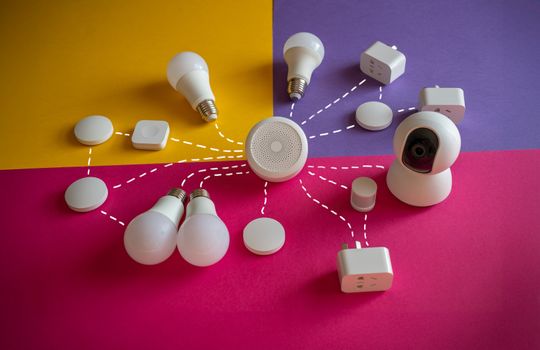
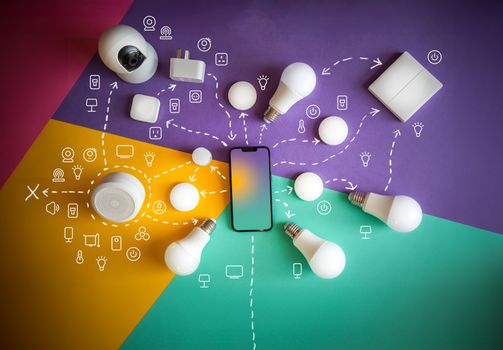
The most direct route to a smart home is replacing the bulbs themselves. Smart bulbs contain built-in radios (usually Wi-Fi, Bluetooth, or Zigbee/Thread) that communicate directly with your router or a dedicated hub.
- Leave the switch on: Smart bulbs require constant power. Your physical wall switch must remain in the “On” position at all times.
- Choose your protocol: If you only need two or three bulbs, Wi-Fi bulbs are fine. If you plan to outfit your entire house, invest in a Zigbee-based system with a hub to avoid bogging down your home network.
- Group by room: Use your chosen app to group the bulbs logically.
Method 2: Smart Switch Overlays and Buttons
The biggest drawback to smart bulbs is the “roommate problem”—when someone instinctively flips the wall switch off, your smart bulb goes offline and becomes completely unresponsive.
To solve this without rewiring the wall switch, use a smart switch overlay or a battery-powered remote button.
- Rotary Dimmers: Devices like the Lutron Aurora snap directly over your existing toggle switch, locking it in the “On” position while providing a physical rotary dial to dim your smart bulbs.
- Wireless Buttons: Stick-on battery-powered buttons can be mounted anywhere on your wall using adhesive strips. They pair wirelessly to your smart hub, allowing you to trigger lighting scenes without touching the actual electrical box.
Method 3: Smart Plugs for Freestanding Fixtures
For floor lamps, table lamps, and decorative string lights, smart plugs are the undisputed champions. You plug the smart device into your standard wall outlet, and then plug your lamp into it.
Kasa Smart Plug Mini with Energy Monitoring, KP115
Kasa Smart
- Voice Control: Add voice control to any outlet. Kasa smart plugs that work with Alexa and Google Home Assistant. Enjoy t…
- Smart Outlet Control from Anywhere: Turn electronics on and off from anywhere with your smartphone using the Kasa app, w…
- Easy Set Up and Use: 2.4GHz Wi-Fi connection required. Plug in, open the Kasa app, follow the simple instructions and en…
- Trusted and Reliable: Designed and developed in Silicon Valley, Kasa is trusted by over 5 Million users and being the Re…
As an Amazon Associate we earn from qualifying purchases.
- Leave the lamp’s physical switch turned to “On.”
- The smart plug acts as a gatekeeper, cutting or supplying power to the lamp on command.
- These are incredibly useful for holiday lighting or hard-to-reach outlets behind heavy furniture.
Final Takeaway
Upgrading to smart lighting doesn’t require a master electrician’s license or a permit. By leveraging smart bulbs, wireless overlays, and smart plugs, you can build a robust, responsive lighting ecosystem that travels with you the next time you move. Just remember the golden rule: keep the physical power flowing, and let the wireless protocols do the heavy lifting.
Frequently Asked Questions
Q: Do I need a smart home hub?
A: Not for a small setup. Wi-Fi and Bluetooth bulbs work on their own through an app. If you’re outfitting a whole house, a Zigbee or Thread hub keeps dozens of devices from clogging your Wi-Fi network.
Q: Why does my smart bulb flicker?
A: It’s almost always a hardwired dimmer switch on the same circuit. Old dimmers starve the bulb’s internal circuitry and cause flickering and early failure. Put the bulb on a standard on/off switch.
Q: Can I use smart bulbs in a rental?
A: Yes — that’s the whole appeal. Smart bulbs, switch overlays, and smart plugs all install without touching wiring, so they come with you when you move and won’t cost you a security deposit.
Q: Why does my smart bulb go offline when someone flips the switch?
A: Smart bulbs need constant power, so turning off the wall switch cuts their connection entirely. A switch overlay that locks the toggle in the “On” position solves this without rewiring.