How to Secure Your Home Network: The Paranoid IT Pro's Guide
Step-by-step instructions to lock down your router, Wi-Fi, and smart home devices to prevent unwanted intrusions.
ASUS ExpertWiFi EBG15 Gigabit VPN Wired Router, up to 3 WAN ethernet Ports + 1 USB WAN, IPS Intrusion Prevention, Layer 7 Firewall, Commercial-Grade Network Security, Remote Management with App
ASUS
If your home network is set up with the default settings it came with out of the box, you are basically leaving your front door wide open with a neon sign pointing inside. As someone who has spent a career patching security vulnerabilities and auditing enterprise networks, I can assure you that consumer-grade hardware is terrifyingly vulnerable.
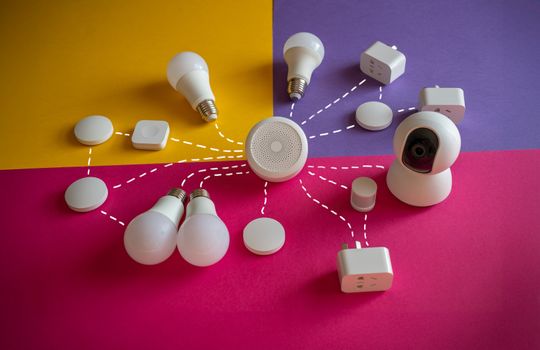
Your smart bulbs, your wireless security cameras, your thermostat—every connected device is a potential entry point for malicious actors if your foundational network isn’t locked down.
Here is the no-nonsense, highly paranoid protocol for securing your home network against intrusion.
Step 1: Change the Default Router Credentials
The absolute most critical, yet frequently ignored, step in network security is changing the router’s administrator credentials. The stickers on the back of your router broadcasting “admin / password” are public knowledge. If someone can access your router’s IP address and log in using those defaults, they own your entire network.
Log into your router’s web interface—usually an address like 192.168.1.1 or 10.0.0.1—and immediately change the administrator username (if allowed) and the password to something incredibly complex. Treat this password like the keys to a safe.
Never confuse your router’s administrator password with your Wi-Fi network password. The admin password controls the hardware itself, while the Wi-Fi password just grants internet access. Both must be changed immediately.
Step 2: Upgrade Your Router Hardware
If you are leasing a combination modem/router from your Internet Service Provider (ISP), you are probably using outdated, under-supported hardware. ISP-provided routers are notoriously slow to receive firmware updates, leaving unpatched vulnerabilities exposed for months.
Investing in a high-quality standalone router gives you granular control over your firewall rules, VLAN (Virtual Local Area Network) tagging, and firmware updates. A premium standalone unit is non-negotiable for serious security.
Step 3: Implement WPA3 (or at least WPA2-AES)
When setting up your wireless network, the encryption protocol is what prevents eavesdroppers from pulling your data out of thin air.
If your router supports WPA3, enable it. It provides robust protection against brute-force dictionary attacks. If your hardware is older, the minimum acceptable standard is WPA2 with AES encryption.
If you see WEP or WPA (without the 2 or 3) listed as your security type, your network is actively compromised by modern standards. These protocols can be cracked in minutes using free software. Upgrade your hardware immediately if WEP is your only option.
Step 4: Create a Dedicated IoT Network
Smart home devices—IoT (Internet of Things) gadgets like smart plugs, lightbulbs, and cheap Wi-Fi cameras—are notorious for terrible security standards. They rarely receive patches and often phone home to dubious offshore servers.
Do not let these devices sit on the same network as your personal laptops, phones, and NAS (Network Attached Storage) drives.
Use your router’s “Guest Network” feature, or ideally VLANs, to create an isolated network specifically for IoT devices. This ensures that if a smart bulb is compromised, the attacker is trapped on a dead-end network and cannot pivot to your laptop to steal financial documents.
Step 5: Disable WPS and UPnP
Convenience is the enemy of security. Two features that come enabled by default on most consumer routers are Universal Plug and Play (UPnP) and Wi-Fi Protected Setup (WPS). Both need to die.
- WPS: That little button you press to easily connect a printer? It relies on a weak 8-digit PIN that can be easily brute-forced. Disable WPS entirely in your router’s settings.
- UPnP: This feature allows devices on your network to automatically open ports on your firewall. It’s incredibly convenient for gaming consoles, but it also allows malware to quietly open doors to the outside world without your permission. Turn it off, and manually forward ports only when absolutely necessary.
Step 6: Keep Firmware Updated
Network security is not a “set it and forget it” task. Vulnerabilities are discovered constantly. Log into your router’s admin panel at least once a quarter to check for firmware updates. If your router has an auto-update feature, enable it, but verify occasionally that it is actually working.
If your router manufacturer hasn’t released a firmware update in several years, the device has reached its End of Life (EOL) and should be securely recycled and replaced.
A standalone VPN-capable router gives you the control a stock ISP modem won’t.
ASUS ExpertWiFi EBG15 Gigabit VPN Wired Router, up to 3 WAN ethernet Ports + 1 USB WAN, IPS Intrusion Prevention, Layer 7 Firewall, Commercial-Grade Network Security, Remote Management with App
ASUS
- Easier-Than-Ever Setup — Convenient and easy router management via web browser or the ASUS ExpertWiFi mobile app through…
- VLAN for Added Security —Each of the Ethernet ports can be assigned to one or more VLAN IDs that provides additional sec…
- Up to 3 WAN Ethernet Ports – 1 gigabit WAN port and 2 gigabit WAN/LAN ports with load balancing optimize multi-line broa…
- Backup WAN for Stable Connectivity –The USB port can be used as a backup WAN by connecting it to a mobile phone with hot…
As an Amazon Associate we earn from qualifying purchases.
Frequently Asked Questions
Q: What’s the first thing I should do to secure my router?
A: Change the default administrator credentials. The default username and password on the sticker are public knowledge, and if someone logs into your router with them, they control your entire network.
Q: Is WPA2 still secure enough?
A: WPA2 with AES encryption is the minimum acceptable standard. WPA3 is better and should be enabled if your router supports it. WEP or original WPA can be cracked in minutes and must be retired.
Q: Should I put my smart devices on the main Wi-Fi?
A: No. Smart home gadgets are rarely patched and are easy targets. Put them on an isolated guest network or VLAN so a compromised device can’t reach your computers or files.
Q: What are WPS and UPnP, and should I disable them?
A: Yes, disable both. WPS has a weak PIN that’s easy to brute-force, and UPnP lets devices open firewall ports automatically — including malware. Turn them off and forward ports manually only when needed.