Smart Home Automation & Bridge System
Clear answers on Matter, Zigbee, Z-Wave, and local hub compatibility — and how to pick a smart home ecosystem that won't lock you in.
Kasa Smart Plug Mini with Energy Monitoring, KP115
Kasa Smart
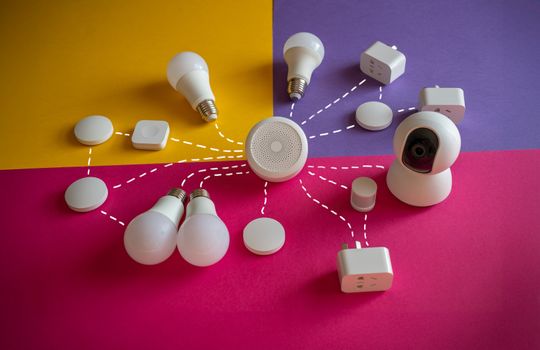
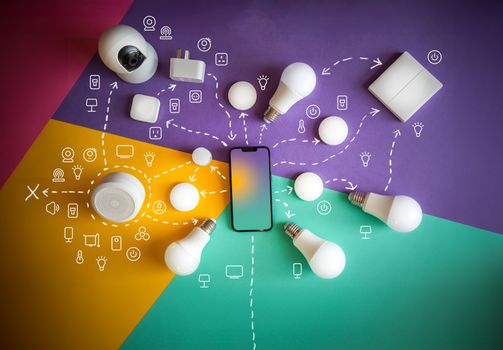
A “smart home hub” used to mean one specific box that everything plugged into. Today it’s fuzzier — hubs, bridges, and protocols all overlap, and the vocabulary (Matter, Zigbee, Z-Wave, Thread) makes it hard to know what you actually need. Here are direct answers to the questions that trip people up most.
Frequently Asked Questions
Q: Do I need a hub for smart home devices?
A: Not for a small setup. Wi-Fi and Bluetooth devices connect straight to your phone or router without any hub. A hub becomes useful — or necessary — when you have many Zigbee, Z-Wave, or Thread devices, or when you want automations to run locally and keep working if the internet drops.
Q: What’s the difference between Zigbee, Z-Wave, and Thread?
A: All three are low-power mesh protocols that let devices relay signals to each other, so a device far from the hub can still connect through its neighbors. Zigbee is open and widely supported, Z-Wave runs on a less-crowded frequency, and Thread is the newer standard built into the Matter framework.
Q: What is Matter, and why does it matter?
A: Matter is a compatibility standard backed by Apple, Google, Amazon, and others. A device with the Matter logo works across Apple HomeKit, Alexa, and Google Home, so you’re not locked into one brand’s ecosystem. It runs over Wi-Fi and Thread.
Q: Should I choose cloud or local control?
A: Local control, whenever you can. Cloud devices route every command through a remote server, so they lag and go dead when the internet drops. Local protocols like Zigbee, Z-Wave, and Thread respond instantly and keep working offline.
Q: What’s the easiest first smart home device?
A: A smart plug. It needs no wiring, works with any lamp or appliance, and is the lowest-stakes way to test your Wi-Fi and chosen ecosystem before you commit to bulbs, sensors, and switches.
Kasa Smart Plug Mini with Energy Monitoring, KP115
Kasa Smart
- Voice Control: Add voice control to any outlet. Kasa smart plugs that work with Alexa and Google Home Assistant. Enjoy t…
- Smart Outlet Control from Anywhere: Turn electronics on and off from anywhere with your smartphone using the Kasa app, w…
- Easy Set Up and Use: 2.4GHz Wi-Fi connection required. Plug in, open the Kasa app, follow the simple instructions and en…
- Trusted and Reliable: Designed and developed in Silicon Valley, Kasa is trusted by over 5 Million users and being the Re…
As an Amazon Associate we earn from qualifying purchases.
Q: Can I mix brands in one system?
A: Yes, if you pick devices that share a protocol or carry the Matter logo. A hub like Home Assistant can even bridge Zigbee, Z-Wave, and Wi-Fi devices into one dashboard, but that takes more setup than a consumer platform.